Loading post.
27 June 2026
Photo gallery
Laying out the same photos four ways, from a grid to a physics simulation.
The site started as a photo portfolio
The whole of my old site was one static HTML page. When I was rebuilding it here, that was still the core idea: a place to put photos. So the first real feature after the layout and the shader background was a photo gallery.
Each view shares the same underlying data from Payload CMS and the same FlipLightbox component for opening photos. Both are covered separately:
The data layer
Photos live in Payload CMS, organised into albums. Each album has a name and an ordered list of photos, with the image files themselves hosted on Cloudinary. When the gallery page loads, it fetches all albums with their photos from Payload, and passes that data down to whichever gallery view is active.
None of the four views fetch their own data. They all get the same album list and just display it differently, so switching between them never re-fetches anything.
View 1: Simple
The first version was a simple masonry grid. Column count adjusts by screen size (4 columns on desktop, down to 1 on mobile), and each photo drops into the shortest column so far, its exact position on the page worked out in code. The layout maths runs in JS, which writes those coordinates directly - no CSS masonry involved.
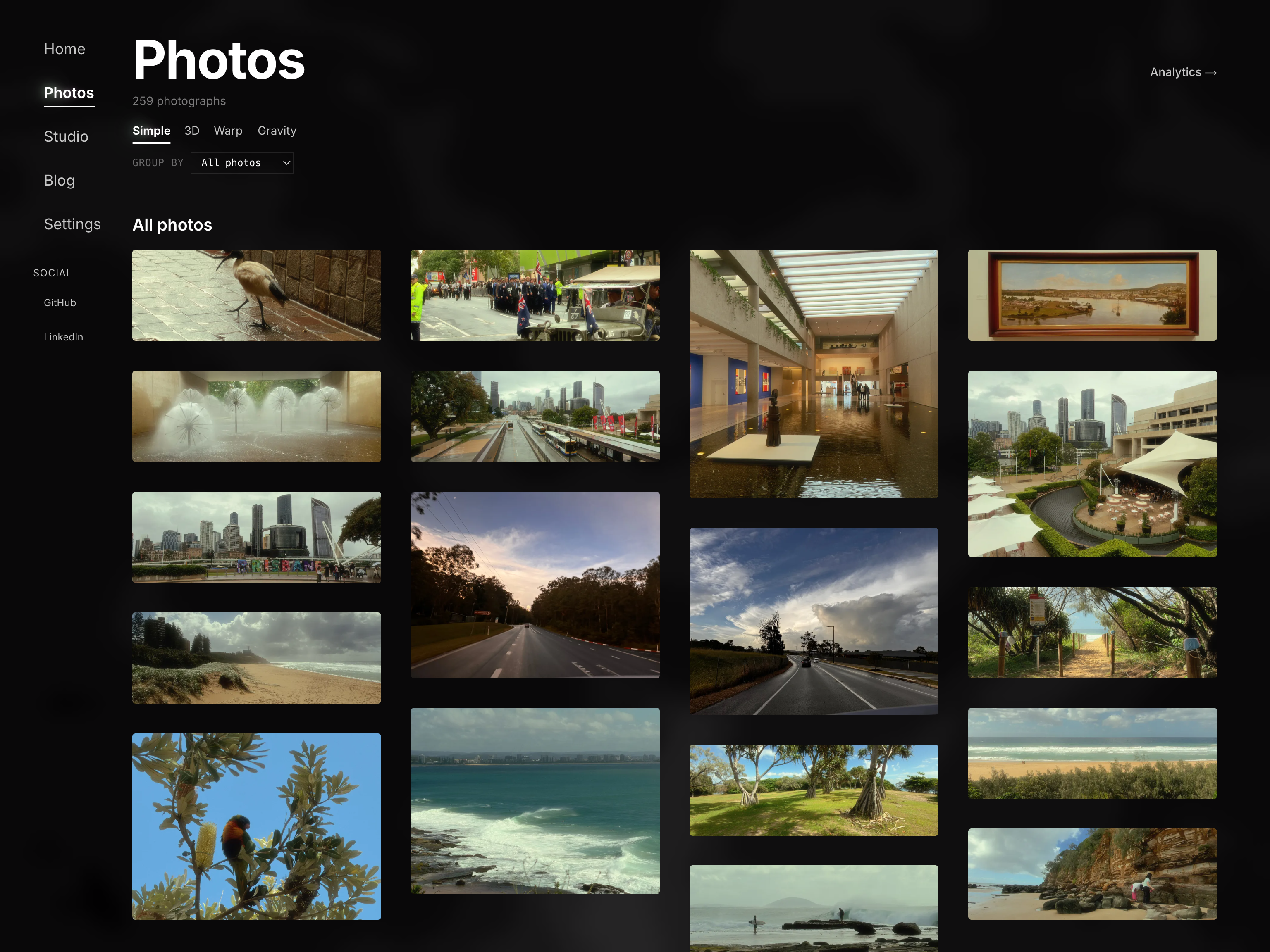
On top of that, there's a cursor proximity effect. Photos near the mouse scale up, and their neighbours nudge aside to make room. It makes the grid feel less static.
The proximity effect caused a slow-down in Safari. The original approach tracked mouse position in React state, which meant the entire grid component re-rendered on every mouse movement - every photo, every frame.
The fix was to bypass React entirely for the mouse position. Instead of setMousePos, the mouse coordinates now get written directly to CSS custom properties on the container element. Each photo reads those variables in CSS and applies its own transform. No React state, no re-render cycle - the browser applies the movement on its own, without going back through the page's JavaScript.
View 2: 3D
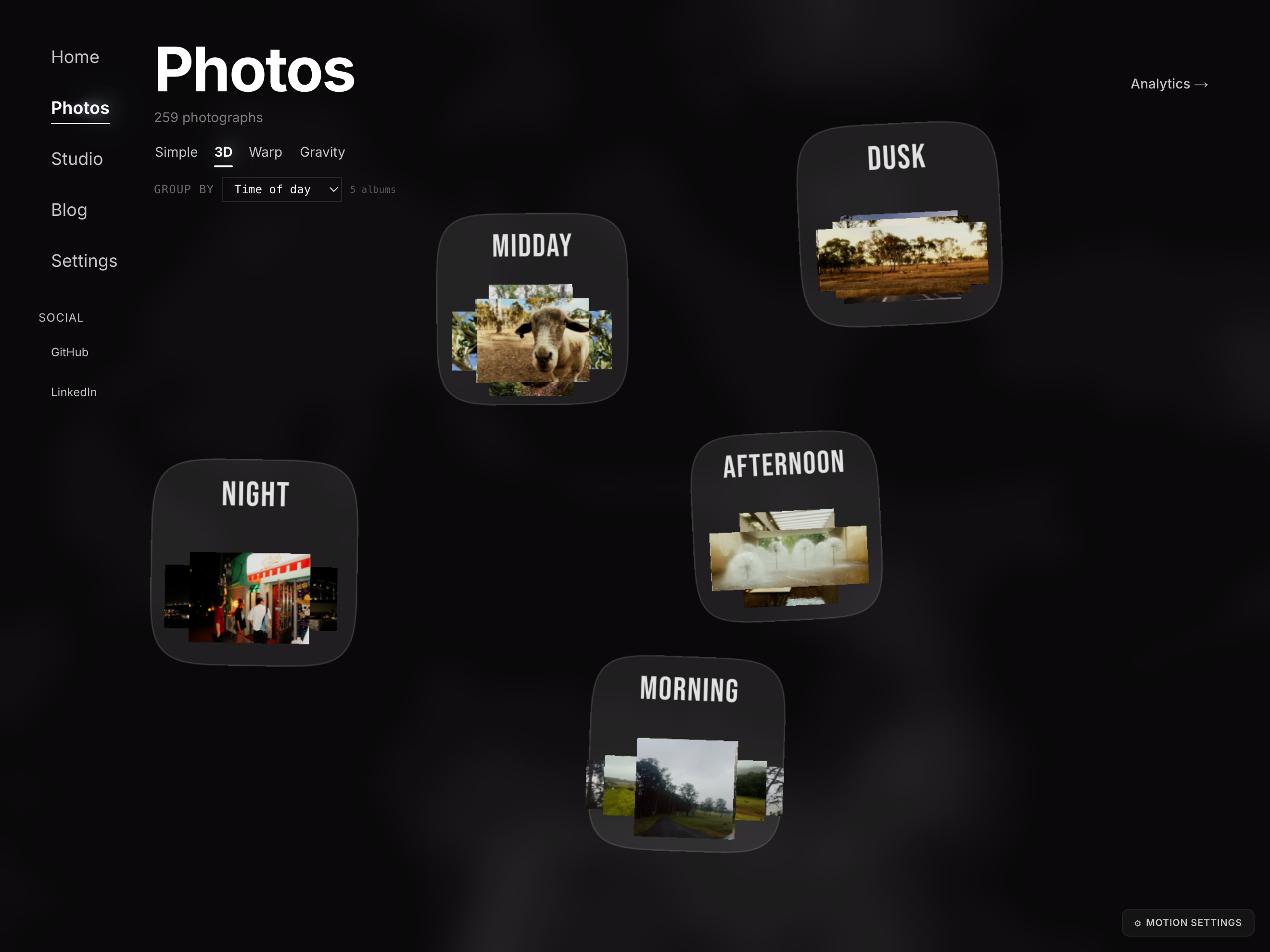
View 2 moves into a WebGL scene built with React Three Fiber. Photos are flat textured planes floating in 3D space. The camera never rotates - it only ever slides around. Dragging moves it sideways and vertically; scrolling or pinching moves it in and out. Because the photos sit at different depths, that movement creates real parallax: the nearer ones travel further across the screen than the ones behind them.
The lobby in this view shows album stacks. Mouse-over scatters the top 5 photos like polaroids. Clicking triggers a fly-in: the scattered photos animate from their lobby positions into an album view, with the rest of the album expanding outward from the centre.
The drag sensitivity bug
On desktop the drag felt right. On iPhone it felt roughly 2x too sensitive - 1cm of finger travel moved the scene 2cm.
The formula looked fine, so I went through everything else: device pixel ratio, field-of-view differences between mobile and desktop, canvas sizing, coordinate tracking. Nothing was off.
In the end I logged, on the phone itself, how far my finger had travelled against how far the code thought the scene should move - and the two matched exactly. The maths was innocent. (Even getting logs on an iPhone took a workaround - Eruda, a dev console you inject into the page itself.)
The real culprit was the depth the drag speed was calibrated against - it was fixed, when it should track whichever photo you're actually looking at. The fix was to recompute it every frame from the photo closest to the camera in Z. The nearest photo tracks your finger 1:1, and deeper ones move slightly less.
View 3: Warp
View 3 is a continuous grid of photos you can scroll infinitely in any direction. The grid has a fisheye effect: the photos nearest the centre of the page grow largest, easing back to normal size further out.
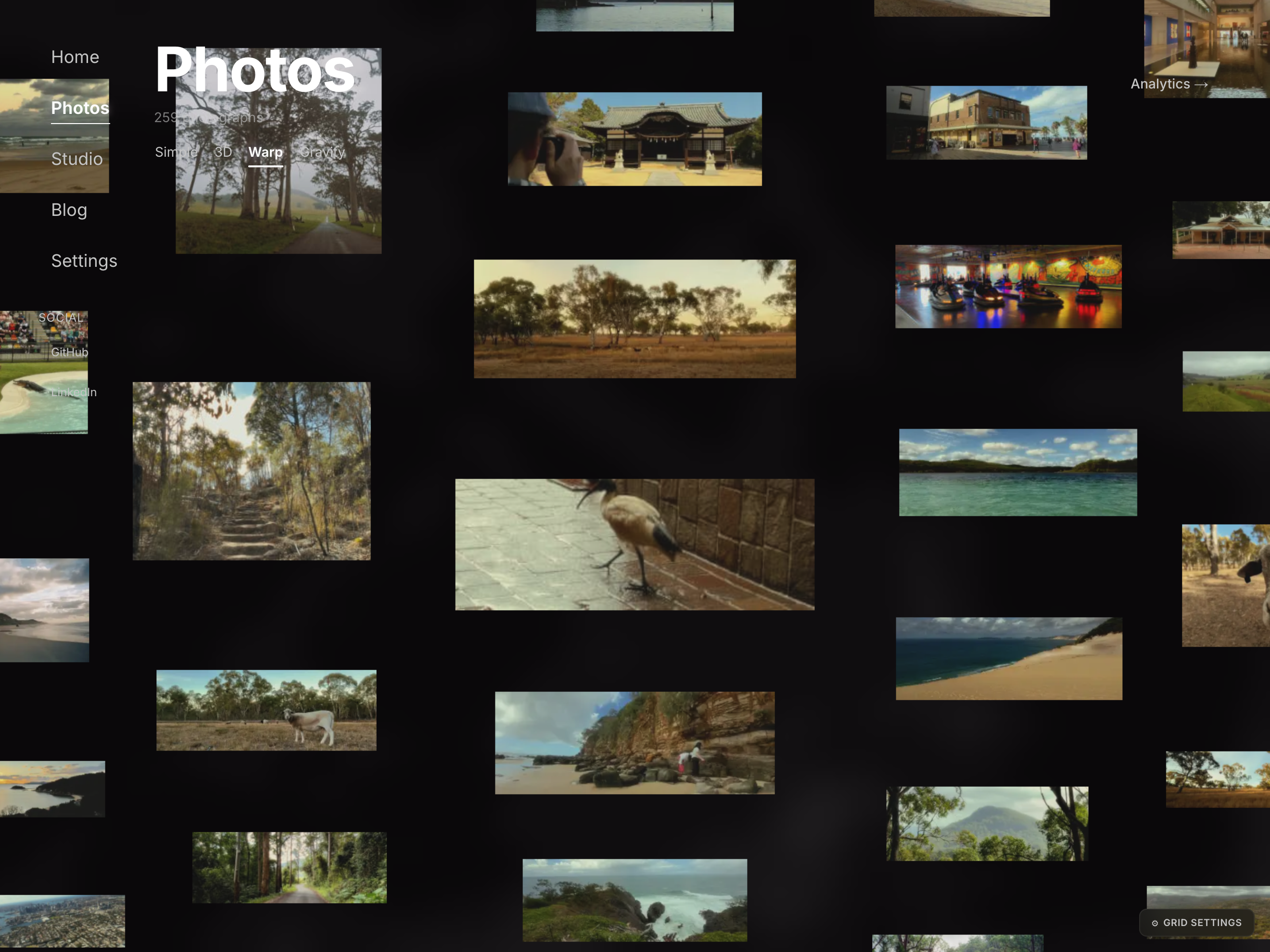
But it felt passive. The photos had no relationship with each other - moving the camera just shifted which ones were bigger. I kept the infinite scroll and built View 4 around it, adding the interactions that were missing here.
View 4: Gravity
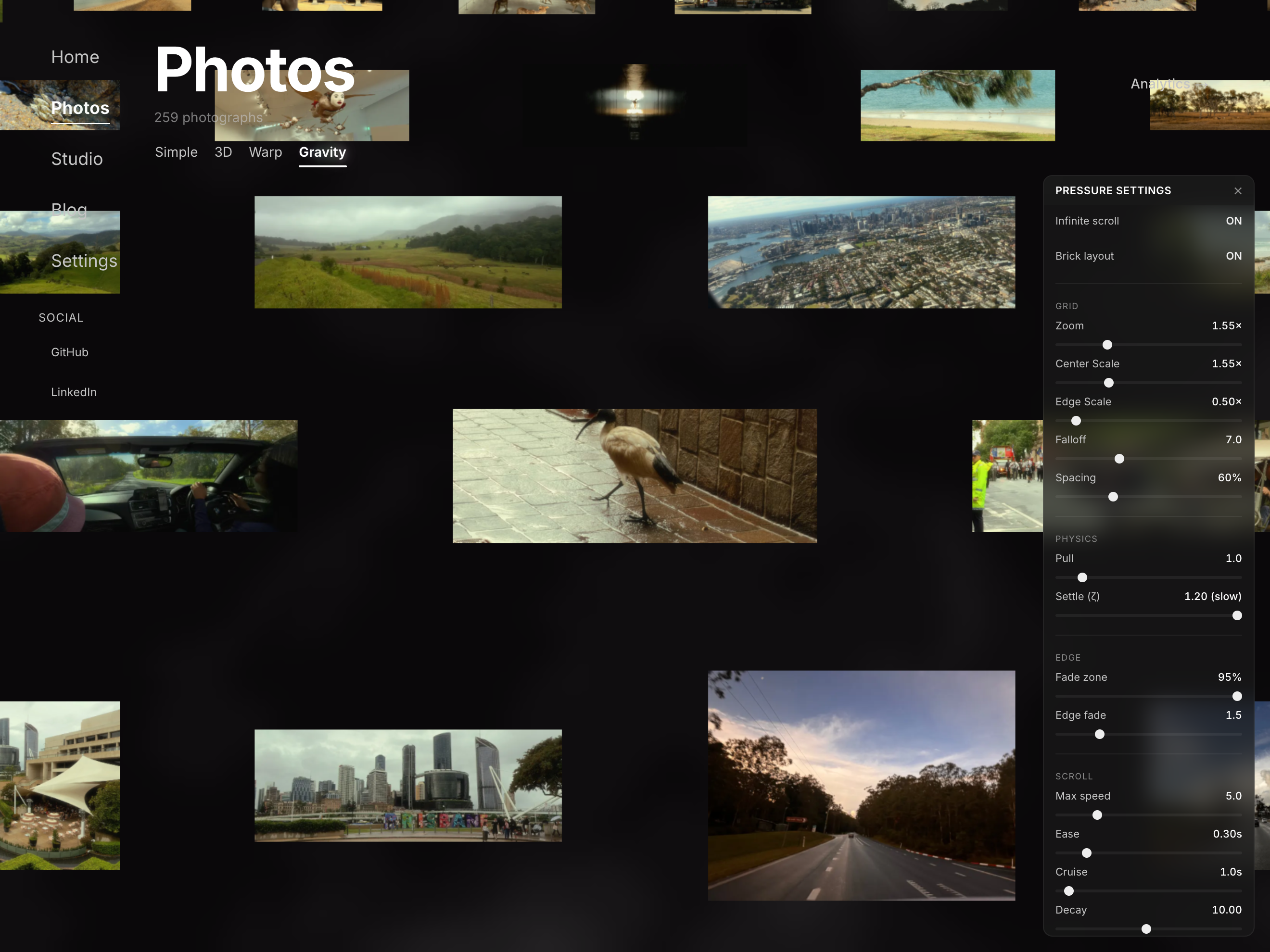
View 4 looks similar to View 3 at first - a scrollable grid of photos. The difference is that every photo has physics. Not a spring-mass system exactly: there are no forces or velocities in the usual sense. It's two cascaded smoothing filters wrapped around a collision solver.
Each photo has a home position in the grid and a target position that gets pulled slightly toward wherever you're looking (the "gravity well"). A smoothing filter eases the photo toward that target. Then a collision solver runs to make sure no two photos overlap. Then a second smoothing filter eases what you see toward the resolved position.
The two-layer position model was the thing that actually made it work. Earlier versions had the smoothing and the collision resolution fighting over the same position value every frame, which produced a visible jitter. Giving them separate layers - the collision solver works on the target, and the rendered position chases the target - meant they couldn't interfere with each other.
The creeping grid bug
After you stopped scrolling, the photos kept drifting backwards for a couple of seconds before coming to rest. Nothing in the browser made it obvious why, so I pulled the physics loop out into a small standalone script and watched the numbers directly. The pattern: with the pull set high, every frame the collisions pushed the photos apart slightly harder than the smoothing pulled them back, so the grid never quite stopped. The fix was rebalancing the two forces - less pull, more spring - and now it settles in about half a second.
There's a panel of controls for tuning the physics: pull strength, spring rate, edge fade, settle speed, and a few others. It's accessible to anyone who visits the page. The system is stable at the defaults, but push the parameters far enough and photos will start overlapping during animation.
What's next
What I'd like to try next is a proper 3D world - photos as environments you move through rather than just browse. Bruno Simon's portfolio (bruno-simon.com) is the best-known take on this: a low-poly 3D scene you drive a car through. Something along those lines, but built around photos.
Doing it properly means 3D modelling the environment in something like Blender, which is a whole skill of its own. Maybe someday...