Loading post.
24 June 2026
FlipLightbox
Building a full-screen photo viewer with a five-mode gesture system.
I was supposed to write about the gallery views
The plan was to write one article covering all four gallery views. Then I looked at what they all share, and it was the lightbox. Every view opens the same component when you tap a photo. That component ended up being one of the most technically interesting things in the whole gallery section, so it gets its own article.
What it is
FlipLightbox is a full-screen photo viewer. Black backdrop with blur, photo centred and fitted to the screen, close button top-right, prev/next arrows at the bottom. One component, reused across all four views.
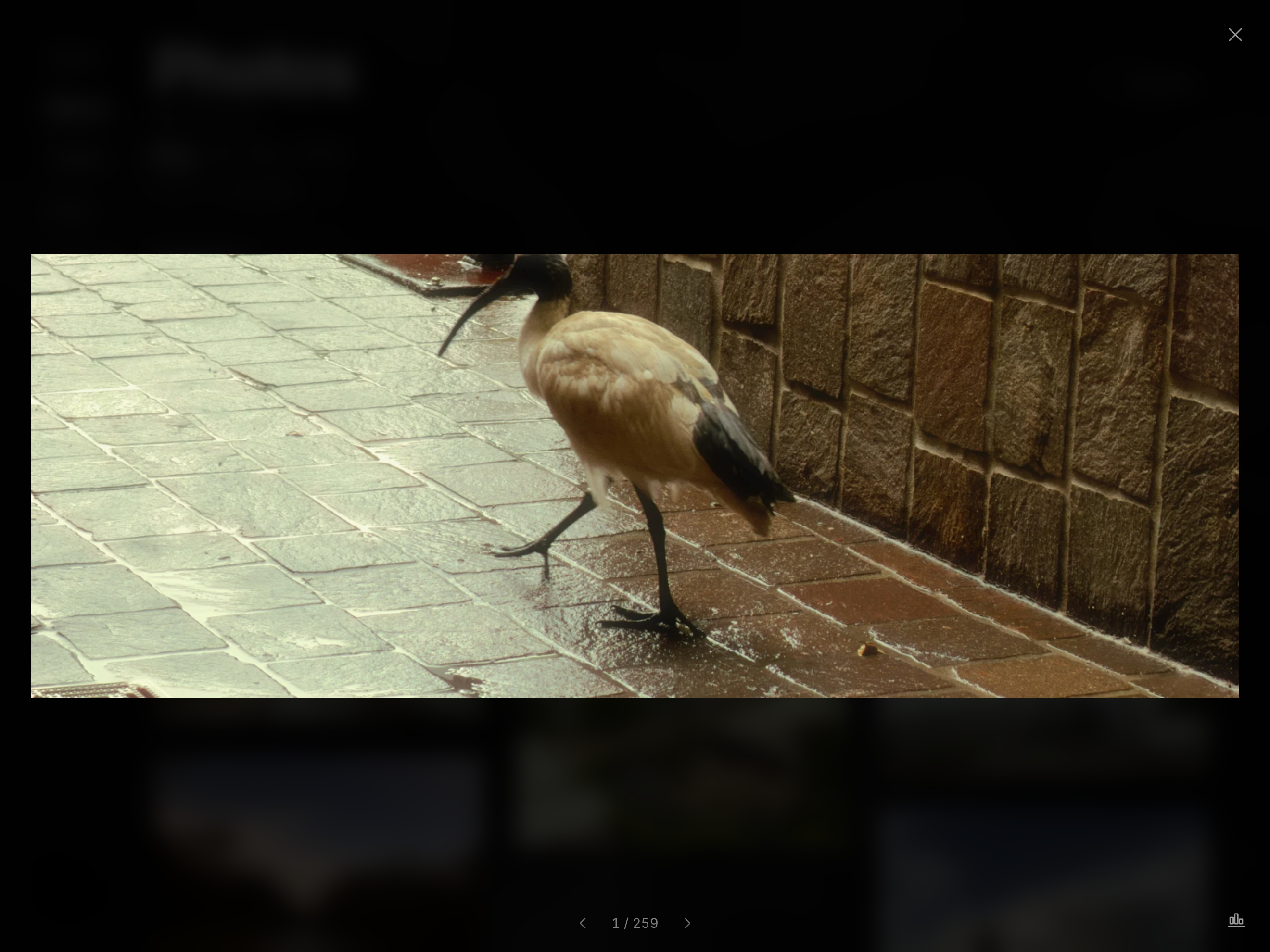
The key thing about it is how it feels. Opening and closing is animated - the photo grows from wherever the thumbnail was on screen, and flies back when you close. Gestures are responsive without lag or jitter. Getting both of those things right took a while.
The gesture system
The lightbox tracks one gesture mode at a time: idle, swipe, pan, pinch, or dismiss.
When you put a finger down, it decides what you're doing. Already zoomed in? Pan. Not zoomed? Starts as a swipe, provisional, waiting to see which direction you go. If a second finger arrives before that's decided, pinch wins immediately.
Swipe has a small deadzone (8px) before committing to a direction. Once it exits that zone: more downward than horizontal converts to dismiss, otherwise it's a horizontal swipe tracking your finger 1:1. A real swipe needs 80px of travel or a fast enough flick. Below that it springs back to centre.
Pan handles movement while zoomed. It includes rubber-band resistance past the image edges - the image follows your finger but with increasing drag, then snaps back on release.
Pinch zooms up to 5x, and works whether you start with fingers on the photo or off it. The zoom origin locks to the pinch midpoint at the moment you start pinching (only when starting from 1x - changing origin while already zoomed would cause a visible jump). While pinching, the image also pans to follow your fingers. One finger lifts, the remaining one hands off to pan.
Dismiss is drag-down-to-close. As you pull down, the image shrinks slightly, corners round, and the backdrop fades. Past 150px or a fast flick, it commits and the photo flies back to its thumbnail. Otherwise it snaps back.
Tapping inside the image toggles zoom between 1x and 2.5x. Tapping the backdrop closes. After any gesture, a synthetic click fires - a 250ms flag blocks it from accidentally triggering a tap-zoom. But a stationary tap while zoomed needs to reach the click handler, so that flag only sets if there was actual movement.
The flicker fix
Switching photos used to flash. For a moment after a swipe you'd see a blank or half-loaded frame - the same could happen when opening or closing quickly. With a single image element there's a gap: the new photo hasn't decoded yet (the browser is still turning the file into pixels), so there's nothing to show until it does.
The fix is a double-buffer: two <img> elements stacked on top of each other, and you only ever see the front one. Moving to a new photo starts its URL loading in the back element while the current photo stays in front. Only once the new image has fully decoded is it promoted to the front - and that swap runs in a useLayoutEffect, synchronously, before the browser paints, so you never catch it mid-change.
The FLIP animation
When you open a photo, it physically grows from the thumbnail's position on screen to fill the viewport. When you close, it flies back.
The parent passes in a sourceRect - the thumbnail's actual position from getBoundingClientRect(). The lightbox knows the target position: centred, fitted, with some padding. It animates between those two over 400ms with an iOS-style easing curve.
One subtle detail in the opening: the image starts as object-fit: cover (matching how the thumbnail appeared cropped in the grid) then switches to object-fit: contain about 160ms into the flight. It makes the thumbnail look like it un-crops itself as it expands, rather than jumping to a letterboxed layout at the start.
A few other things
Rapid swiping needs a special case. If you start a new swipe before the previous one has finished sliding, the component snaps that previous swipe to its end position before the new one starts. That takes two forced steps: flushSync commits the snap on its own, then a read of the element's height makes the browser lay it out - so the intermediate frame actually paints, instead of the new swipe skipping straight to the end.
Two smaller details:
- Preloading: neighbour photos load two steps out in each direction on every change, so a fast swipe lands on an already-decoded image.
- Keyboard: left and right arrows navigate, Escape closes, Space toggles zoom, the down arrow dismisses.
What it doesn't have yet
Still missing: captions or EXIF data (the metadata a camera stores inside the photo file), a thumbnail strip for jumping around, download or share controls, pan momentum when releasing a drag. Some will probably come eventually.
Next: the four views
The lightbox is the one piece all four views share. The next article is about everything built around it - the four different ways of laying out and navigating photos before you tap one.